AutoMapper is a popular .NET library for automating object-to-object mapping. It allows developers to easily map objects between different types, reducing the amount of boilerplate code required for data transfer and transformation. But it's easy to miss data flow using AutoMapper because it's not immediately obvious where the mapping is happening. For example, you want to know where a specific property is set, but the IDE says "Usages were not found".
I thought about this problem and came up with a solution.
Consider a simple code example. Click to expand.
using AutoMapper;
using Microsoft.Extensions.Logging;

var config = new MapperConfiguration(cfg =>
    {
        cfg.CreateMap<UserModel, UserDto>();
    },
    new LoggerFactory());

var mapper = config.CreateMapper();

var user = new UserModel { Name = "John Doe", Age = 30 };
var userDto = mapper.Map<UserDto>(user);

Console.WriteLine(userDto.Name);

public class UserModel
{
    public string Name { get; set; }
    public int Age { get; set; }
}

public class UserDto
{
    public string Name { get; set; }
    public int Age { get; set; }
}
We have two models, and AutoMapper is used to map properties between them.
Why AutoMapper can hide your data flow
AutoMapper removes a lot of boilerplate, but it also hides where values come from and where they go. Typical pain points:
- Hidden write paths: you search for where
UserDto.Nameis set and the IDE reports “Usages were not found” — because the assignment happens inside AutoMapper’s mapping plan, not in your code. - Fragile refactors: renaming properties or moving fields between models doesn’t reliably expose impacted mappings in the IDE.
- Debugging friction: tracing value origins through conventions, flattening, resolvers, and converters takes time.
- Silent mismatches: typos or shape drift can slip through when conventions don’t line up exactly.
In short: AutoMapper’s magic reduces typing but also reduces visibility — especially for everyday navigation and safe renames.
The plugin: AutoMapper — Find Usages (ReSharper/Rider)
I built a ReSharper/Rider plugin that restores code navigation for mappings. It makes AutoMapper visible to the IDE so your usual tools work again.
What you get right in the editor:
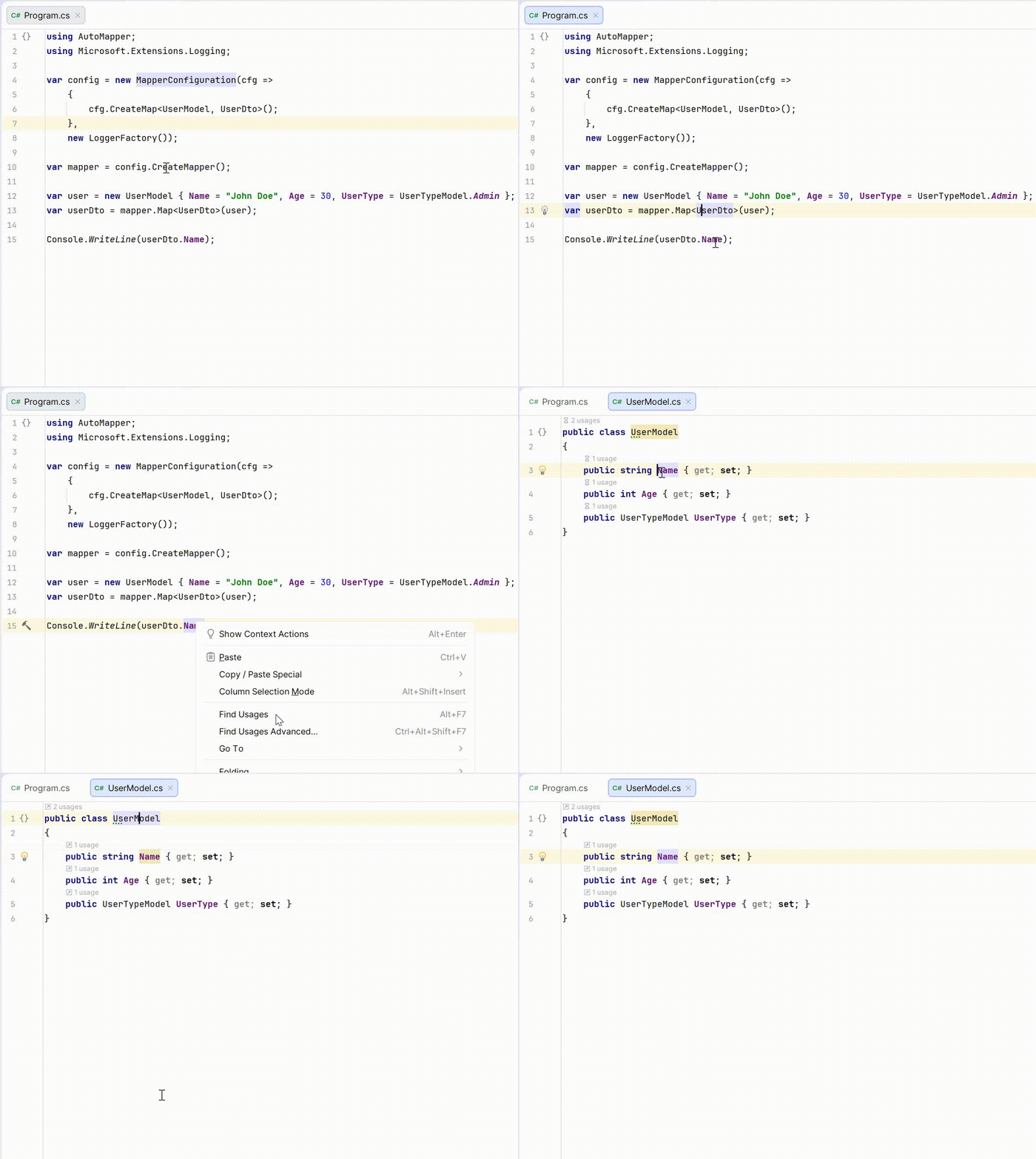
Find Usages that include mapping edges between source and destination members.
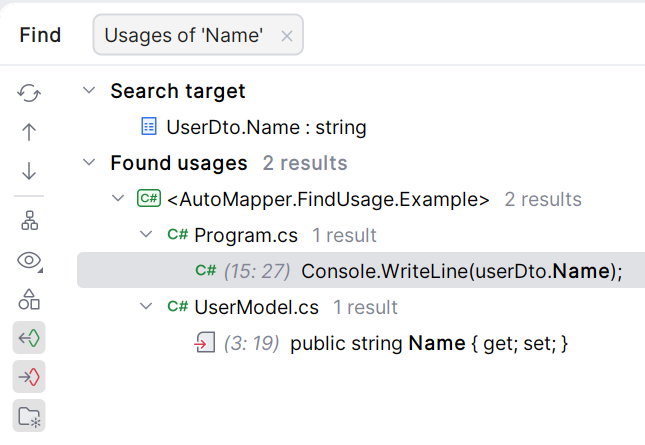
Navigate from a destination property to its source.
How it works (conceptually)
The plugin reads your AutoMapper configuration (e.g., CreateMap<UserModel, UserDto>(), profiles, ForMember, reverse maps) and builds a mapping graph.
It then plugs those relationships into ReSharper/Rider’s usage index so the IDE can treat mapping links like real assignments.
This makes previously invisible operations discoverable by your everyday IDE actions.
Why this matters for teams
- Faster onboarding: new engineers can discover data flow via navigation, not tribal knowledge.
- Safer evolution: refactors surface all affected mappings during review.
- Clearer ownership: you can answer “who writes this field?” in seconds, not minutes.